
Basecamp Map Installation [ PC ]
To view and use the computer maps you will need Garmin Basecamp installed on your computer.
Downloading computer maps for PC
1. Go to the our website at Backroadmapbooks
Log into your account on our website, create a new account if you don't have one.

2. Click on the "MY BRMB GPS ACCOUNT" button to go to the registration page.

3. Click the "Open Download" text listed to the right of your product. You may also see "Updates Available" if there are updates available.
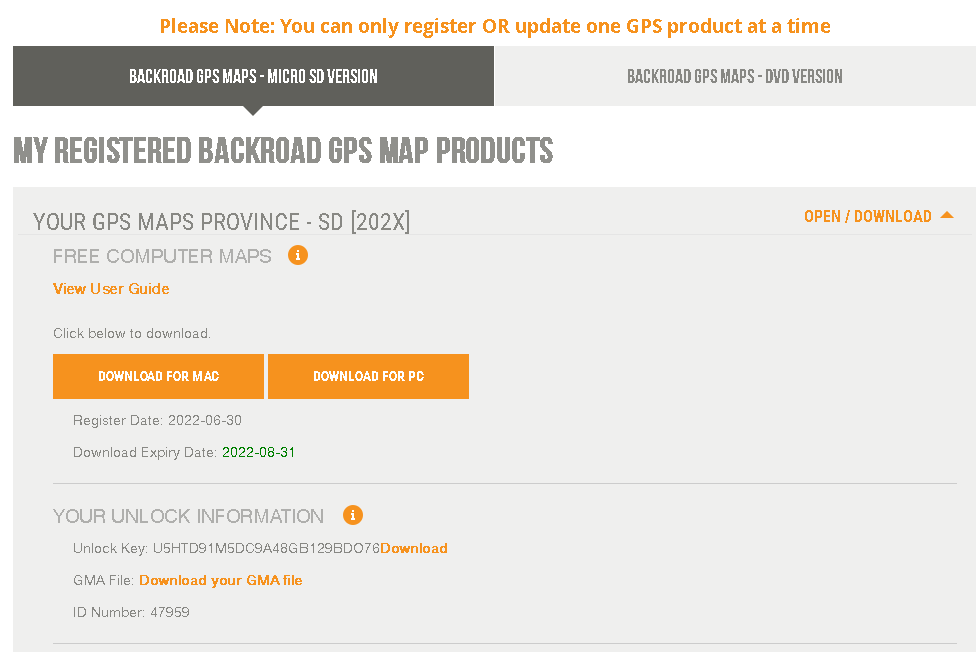
4. Click the Download for PC button and save the .zip file to your computer.
Installing the maps
If you need a .zip archive utility you can download 7zip FREE here
The .zip file can be extracted by right clicking the archive and selecting " Extract all" from the menu, or double clicking on the file.
The data will be extracted into a folder with the same name as the .zip archive. example: BRMB_VIBC2022-WIN
The folder will contain a .exe file and a .gpi file for your province and version.
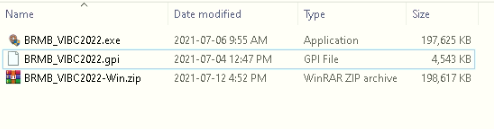
Insert your MicroSD
Insert your MicroSD into your computer or plug in your GPS unit with the card inserted using a USB cable.
This will show your SD card as a removable drive (example: BCv2022)
Install the Maps
1. Double click on the Application file named BRMB####_2022.exe (#### represents your province)
You may see a prompt asking if you want to allow changes to your computer, click YES
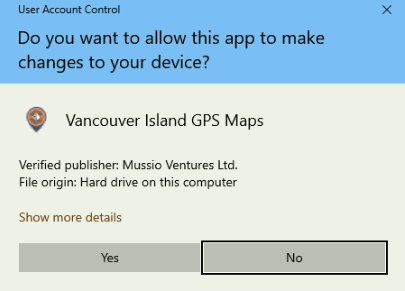
2. Follow the on screen prompts of the installer to copy the map data into Garmin Basecamp.
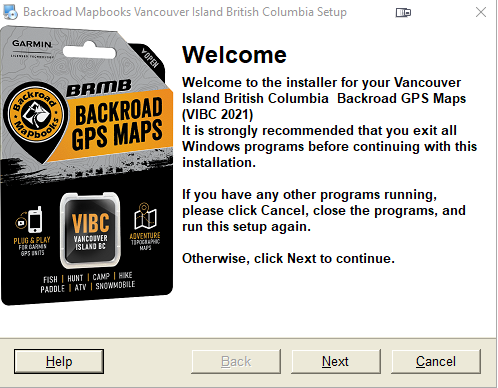
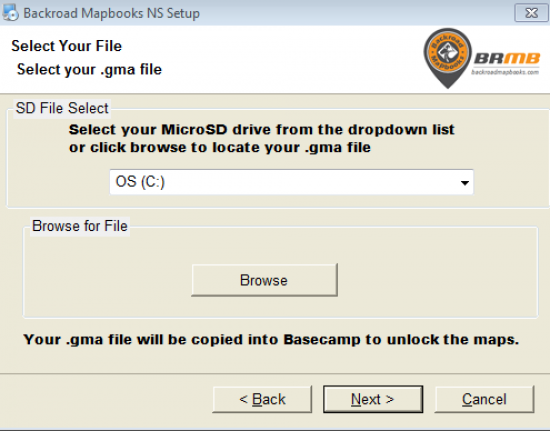
3. When asked Select your .gma file using the following options:
SD File Select: Select your drive from the drop down menu, this will copy the unlock key from your MicroSD card into Basecamp.
Browse for file: If you do not see your card as a drive letter you can use the Browse button to navigate to your MicroSD card or the location of the .gma downloaded from your account.
4. Finish the installation and Launch Garmin Basecamp to view the maps.