Configuring Garmin Basecamp
Configure Garmin Basecamp
After installing Backroadmapbooks into Garmin Basecamp you need to change some settings in Basecamp to get the most out of the maps.
Windows Setup:
Configure toolbar's: Click the View Menu > Toolbars ... and place a check mark beside the following options:
Detail Level - Detail level will adjust the amount of detail you see on the map.
Map Product - Map Product will allow you to change between any of the maps installed in Basecamp.
Mac OSX setup:
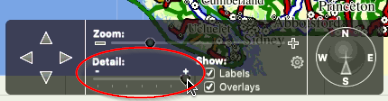
Detail Level: Basecamp for mac uses a control box at the bottom of the screen that allows you to change the detail level of the map.