Configure Garmin Basecamp
After installing Backroadmapbooks into Garmin Basecamp you need to change some settings in Basecamp to get the most out of the maps.
Windows Setup:
Configure the toolbar's:
- View
- Toolbars ... and place a check mark beside the following options:
Detail Level - Detail level will adjust the amount of detail you see on the map.
Map Product - Map Product will allow you to change between any of the maps installed in Basecamp.
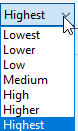
Map Detail set to the Max setting "Highest" will show the best detail for the map.
Mac OSX setup:
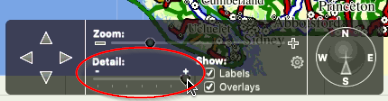
Detail Level: Basecamp for mac uses a control box at the bottom of the screen that allows you to change the detail level of the map.