Updating Maps [MAC]
Map Updates
Map updates are released each year and older versions become discontinued.
To update your card it must be registered in your account. Updates are shown under your existing registered product.
Updates are available FREE for 60 days after registration. Not Registered Yet? Register Here
Connecting your GPS
Some units may need to be placed into:
Mass storage mode - Viewing Files Using USB Mass Storage Mode
MTP mode
Spanner Mode - Garmin Spanner Mode on an Outdoor Product
These settings can be changed on your unit before you plug it into your computer.
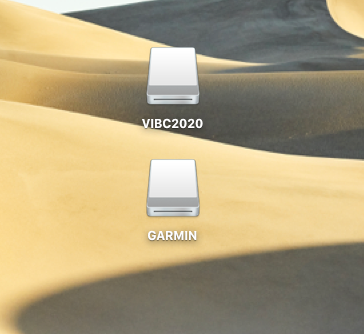
This will give you a drive for the Garmin unit and one for our microSD card.
Updating Maps
1. Go to the our website at Backroadmapbooks
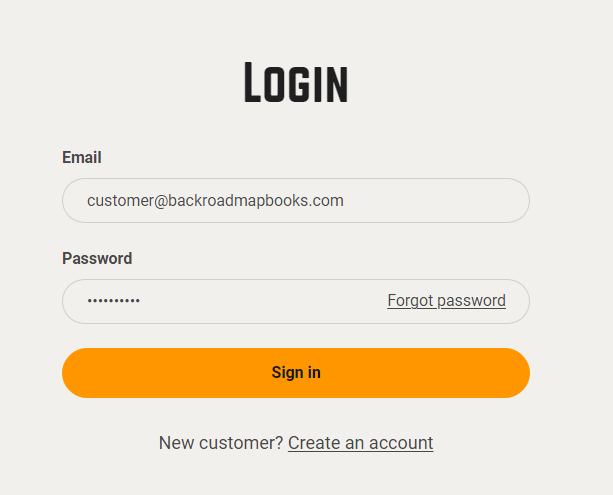
Log into your account on our website, create a new account if you don't have one.
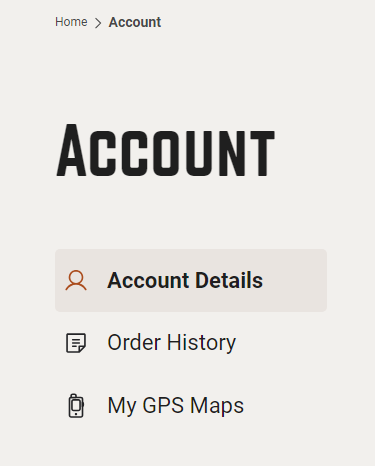
2. Click on the "MY GPS Maps" button to go to the registration page.
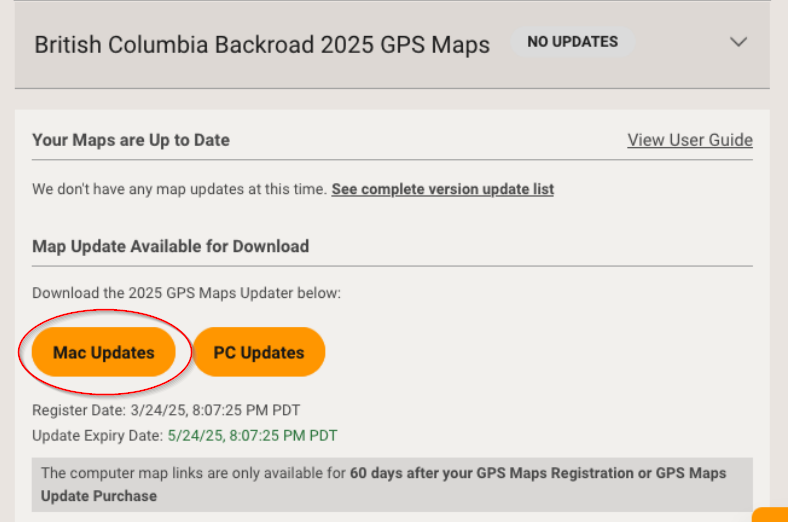
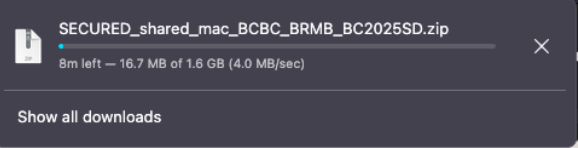
4.) Under Map Updates Available for Download Click Mac Updates to download the .zip archive to your computer.
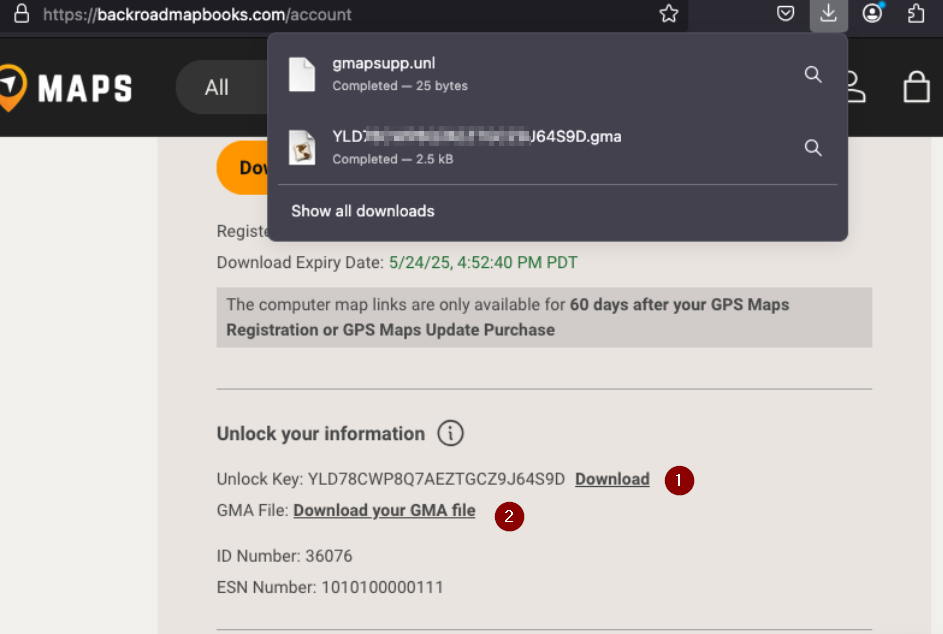
5.) Under Unlock Information Click to download your gma and unl files for the updated version.
Navigate to the location of the downloaded .zip file.
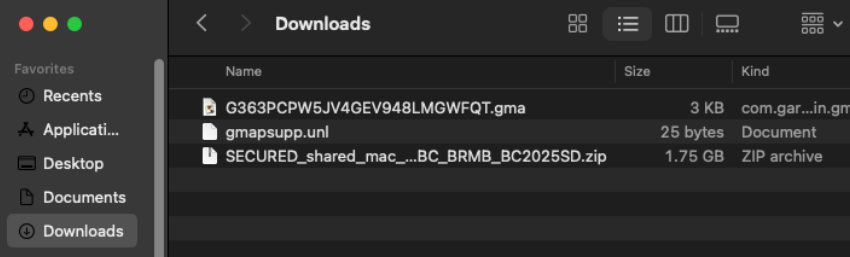
6.) Expand the .zip archive to show the update folder and files.
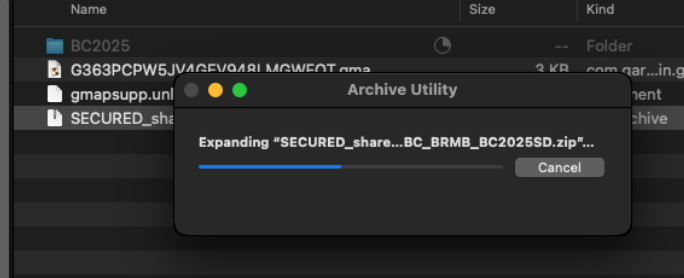
7.)The zip file will expand to a folder with the name of your Product.
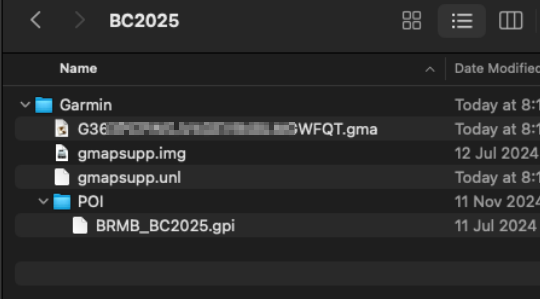
In this example BC2025 and contains the Garmin Folder and files to update your microSD card.
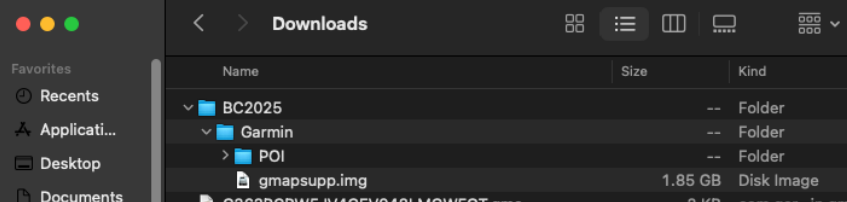
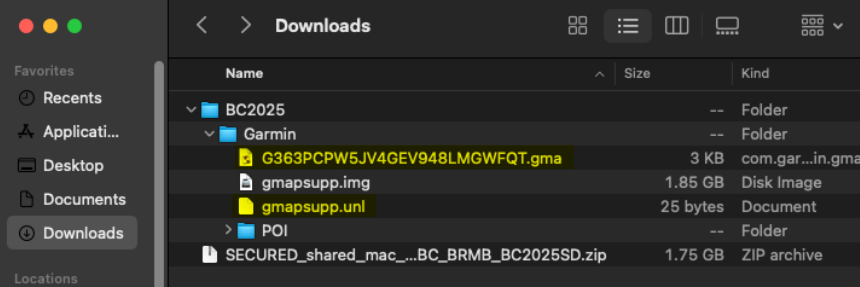
8.)Copy the .gma file and the .unl file into the Garmin folder containing the .img file and POI folder
Backup your existing Card
Copy or drag the Garmin folder onto your Desktop or another location for backup purposes.
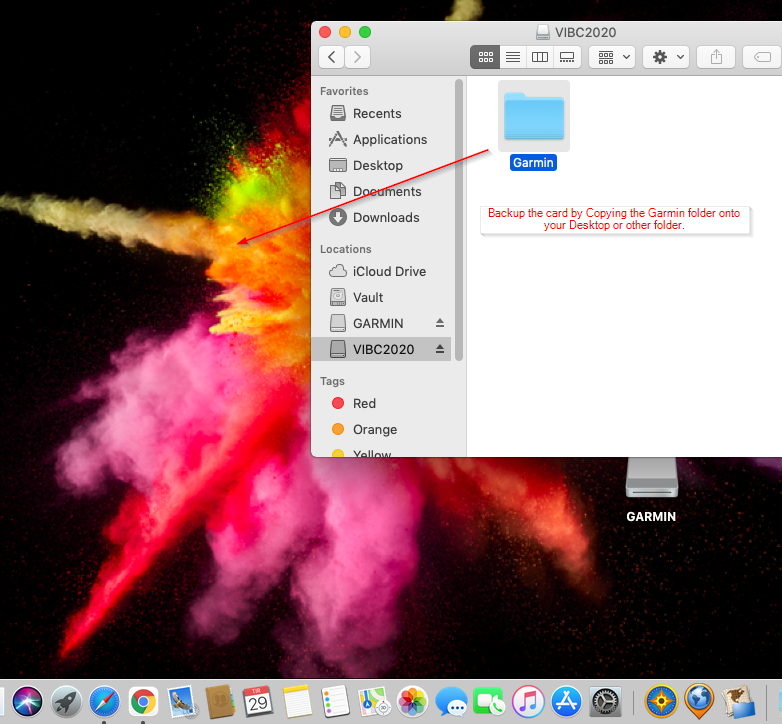
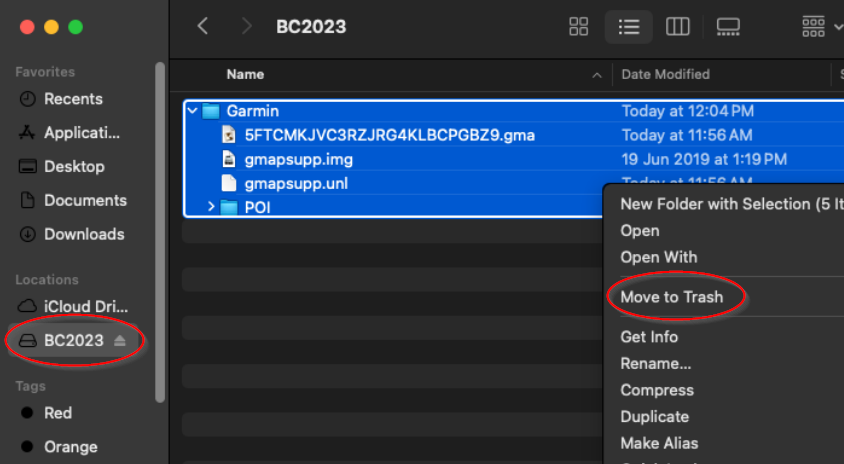
2.Once the backup is complete you can move the Garmin folder on the microSD card to Trash.
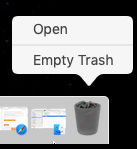
3. To free the space on the card you will need to empty the trash
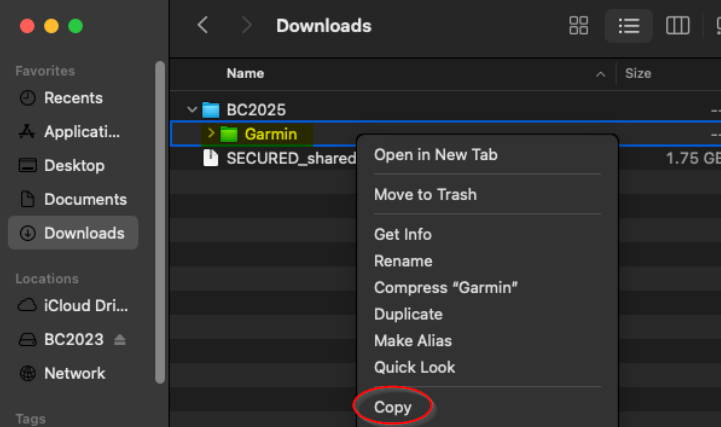
Copy the new Garmin folder onto the card
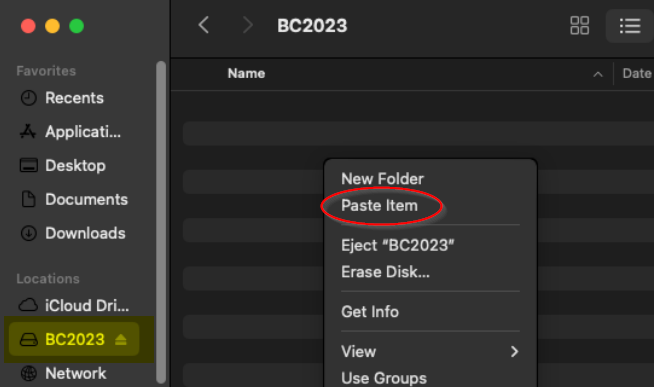
3. Wait for the files to copied to your microSD card.
Your microSD card should now be Updated with the latest map data and you can disconnect your GPS and test the maps.
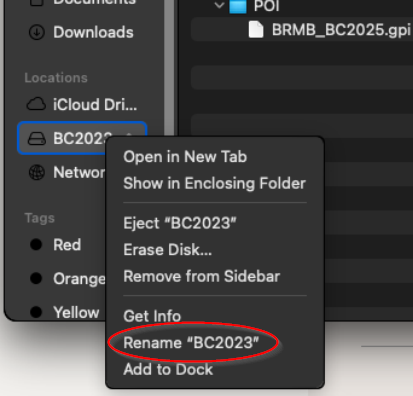
Rename the card *Optional
Your existing microSD card will still have the old version name so you will need to rename the drive.